
MAC BETA free Codex + Claude Code (beta)
Compute you buy.
Now your API.
Reuse the ChatGPT or Claude plan you already pay for as a local API for your dev project, with no API key.
Or install from Terminal
curl -fsSL https://makoda.ai/install.sh | sh
Node.js SDK: makoda on npm
Free. Requests count against your plan's normal limits.
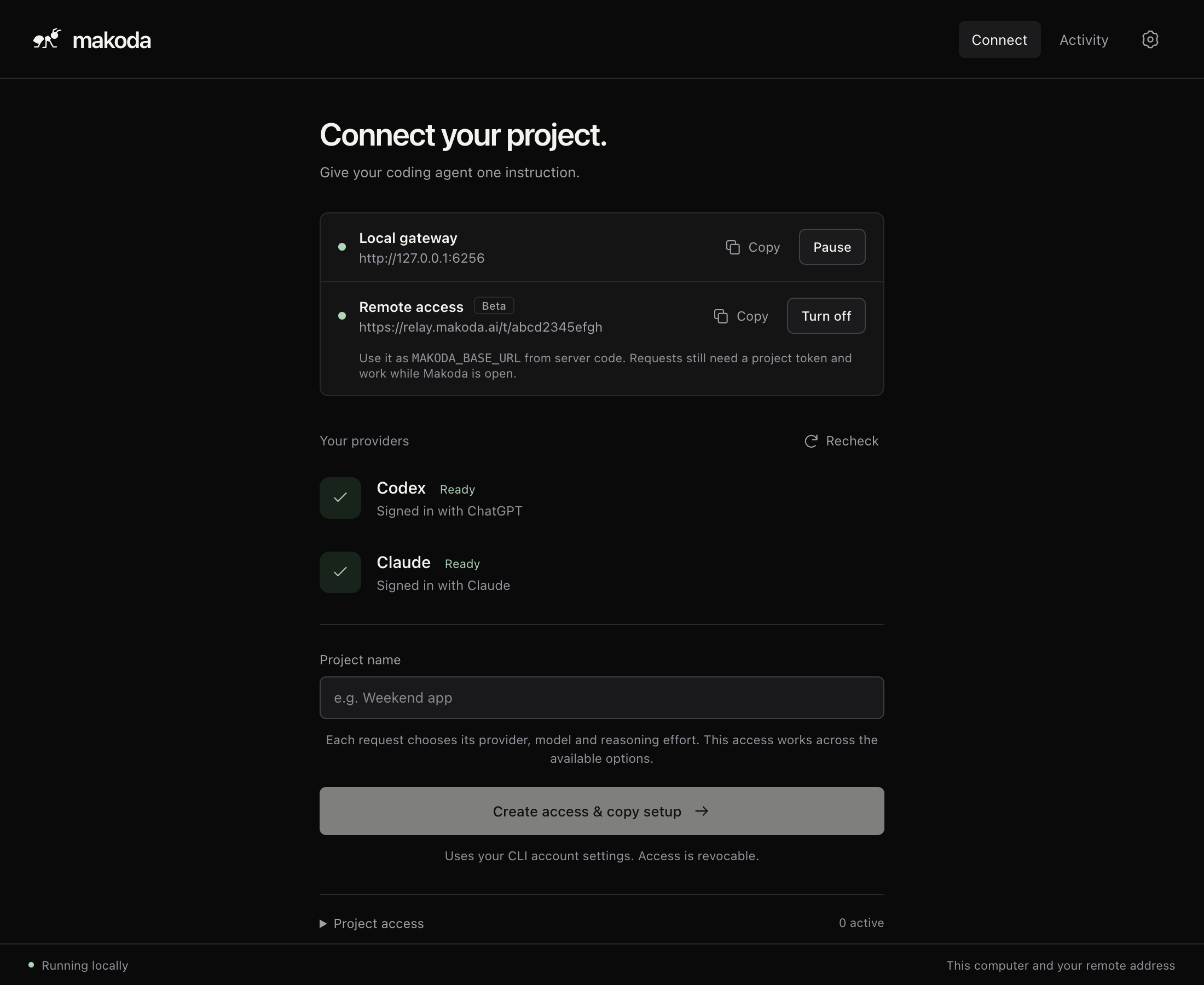
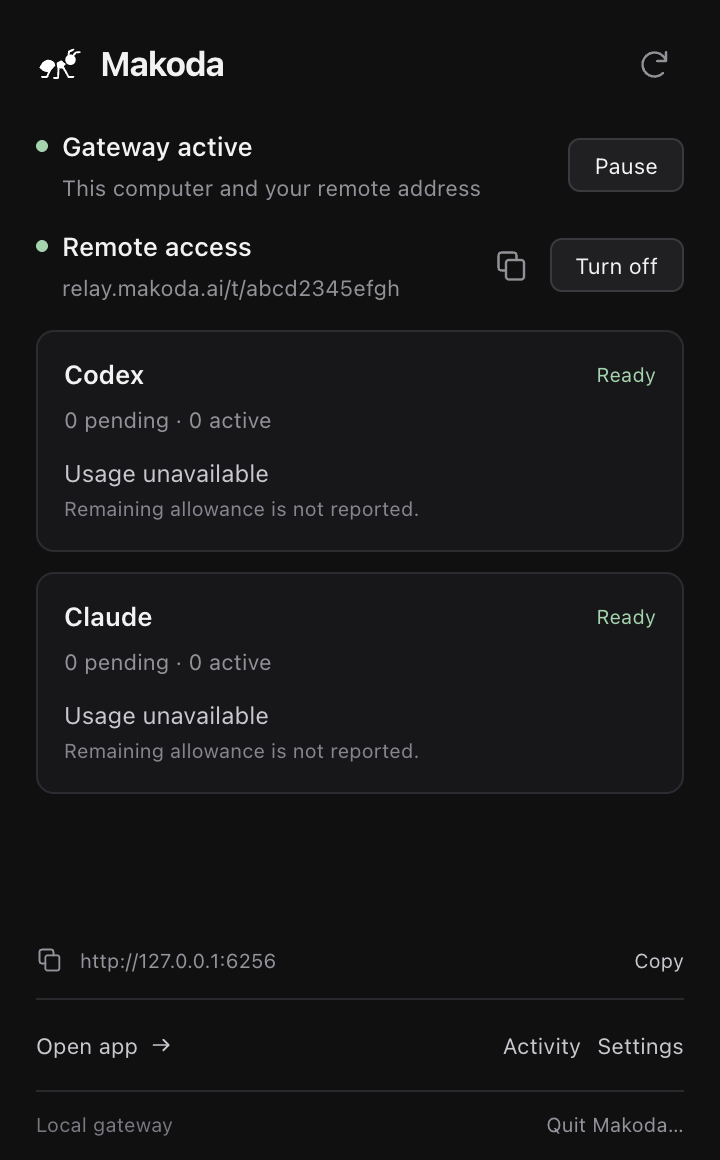
One small app. Every project.
- Checks your setup
- Confirms Codex and Claude Code are signed in.
- One token per project
- Copy one setup prompt. Revoke it anytime.
- Stays on your computer
- The API listens on 127.0.0.1.
One job, there and back.
Your app, Makoda, your AI, and back with a job ID.
status queued POST /v1/jobs answered 202 with a job ID
-
POST /v1/jobs
Your app hands over a job.
Prompt, model and effort in. A job ID back at once.
-
status: running
Makoda carries it to your AI.
Your signed-in Codex or Claude Code runs it on your plan.
-
GET /v1/jobs/{id}
The answer comes home by ID.
Poll by ID. Results stay for 24 hours.
-
same Idempotency-Key
Lost connection, same job.
Resend with the same key: same job, no second run.
Set up in two minutes.
-
01
Install
One command, or the app download.
-
02
Connect
Name your project, copy its prompt.
-
03
Paste
Your coding agent adds a dev-only adapter.
How Makoda behaves
Free app. Your plan, its normal limits. Never a paid API key.
- 24 h
- results kept for lookup
- 7 days
- a retry key returns the same job
- 1
- revocable token per project
- 0
- paid API fallbacks
API key or Makoda?
| While you build | API key | Makoda |
|---|---|---|
| Each test run | Billed per token | On your plan |
| Keys to create and guard | Yes | None, uses your sign-in |
| Retry after a timeout | You build it | Same key, same job |
| Production traffic | Yes | Light traffic, subject to provider terms |
Your plan in dev. Your API in prod.
The free makoda npm SDK sends dev calls through Makoda and production calls to your own OpenAI or Anthropic client. Same code, no silent paid fallback.
$ npm install makoda

import OpenAI from "openai";
import { createMakoda } from "makoda";

const ai = createMakoda({
  environment: process.env.APP_ENV, // dev → Makoda, prod → API
  makoda: { token: process.env.MAKODA_TOKEN },
  direct: { openai: new OpenAI() },
});

const { text } = await ai.generate({
  provider: "codex", effort: "medium",
  model: process.env.AI_MODEL, // per-environment ID
  prompt: "Summarize this ticket",
});
Questions, answered.
Free app, your plan, your computer.
Which AI tools does Makoda work with?
Codex through your ChatGPT plan, and Claude Code through your Claude plan (beta). Each request picks the provider, model and effort.
Do I need an API key?
No. Makoda uses the Codex or Claude Code sign-in on your computer and never bills an API account.
Is the model usage free?
The app is free. Requests count against your plan's normal limits, and account extra charges may apply.
Can I use it in production or from a server?
Yes, for light traffic from apps you control, where your provider's terms permit it. Remote access (beta) gives your server a private HTTPS address protected by your project token. Your computer must stay online with Makoda and the gateway running, and requests count toward your plan's normal limits. Remote access needs a free Makoda account; the local gateway does not.
What do I need?
An Apple silicon Mac or an Ubuntu 24.04 x86-64 desktop. Codex signed in to ChatGPT, or Claude Code signed in to your Claude plan.
Is there an SDK?
Yes, on npm: npm install makoda routes Node.js calls to Makoda in development and to your own OpenAI or Anthropic client in production. Plain HTTP works too; see the docs.
Is the Mac app signed?
Yes. From 0.2.0 the Mac app is signed with an Apple Developer ID and notarized by Apple; update older versions to skip the Open Anyway step.
Stop paying per token to test.
Apple silicon Mac beta, notarized by Apple. Works with Codex or Claude Code (beta).
Apple silicon Mac beta